Best Weather App for iOS in 2026
iOS 27 quietly made Apple’s own Weather app good enough for most people, which raises the bar for every app you might install instead. We compared ten on everything that decides whether you keep an app: how many days it forecasts, how much space it takes, how easy it is to read, what the alerts and widgets do, what works on your wrist, and what it really costs.
The best weather app for iOS for most people is Apple Weather: free, already installed, 10-day forecast, and much better since iOS 27. If you will pay for control, get Carrot Weather. If you want the weather on your Home Screen, with rain and hail alerts up to an hour ahead, get Weather Widget Magic.
- 01Apple Weather — best for most people
- 02Carrot Weather — best if you will pay
- 03Weather Widget Magic — best for widgets and rain & hail alerts
- 04Foreca — best free app
- 05Acme Weather — best Dark Sky successor
- 06The Weather Channel — most complete dashboard
- 07AccuWeather — best minute-by-minute rain and longest forecast
- 08Mercury Weather — best design and privacy
- 09Hello Weather — simplest to use
- 10Windy — best for wind and pro data
Disclosure: we make Weather Widget Magic. We ranked it third, not first, because that is where it belongs for most readers, and a ranking that puts its author on top every time is not worth reading. No app on this page paid to be here.
Specs at a glance: forecast days, app size, ease of use
The numbers most rankings leave out. Forecast length is the daily forecast the app shows; app size is the US App Store download; ease of use is our score out of 5, explained below.
| App | Forecast | App size | Ease of use | Requires | Apple Watch | Paid from |
|---|---|---|---|---|---|---|
| Apple Weather | 10 days | Built in | 5 | Pre-installed | Yes | — |
| Carrot Weather | Up to 14 days | 445.7 MB | 3.5 | iOS 15+ | Premium | $19.99/yr |
| Weather Widget Magic | 10 days | 291.7 MB | 4.5 | iOS 17+ | No | Themes |
| Foreca | 15 days | 152.9 MB | 3.5 | iOS 16.4+ | Yes, with radar | $4.99/yr |
| Acme Weather | 10 days | 38.7 MB | 4 | iOS 18.2+ | Yes | $25/yr |
| The Weather Channel | 15 days | 414.6 MB | 3 | iOS 26+ | Yes | $29.99/yr |
| AccuWeather | Up to 90 days | 186.1 MB | 3 | iOS 17+ | Yes | $12.99/yr |
| Mercury Weather | 8 days | 132.3 MB | 4.5 | iOS 16+ | Premium | $14.99/yr |
| Hello Weather | 10 days | 329.5 MB | 5 | iOS 17+ | Pro | $19.99/yr |
| Windy | 10 days | 181.4 MB | 2 | iOS 16+ | Yes | $24.99/yr |
Sizes and requirements from the US App Store, prices are the cheapest annual plan, all checked 16 November 2026. Sizes grow with cached maps and vary by device.
What is free and what is not
Most rankings tell you an app is “free”. This is what the free tier actually includes. Free works without paying, Paid needs a subscription, Sub means the whole app is subscription-only, and — means it does not exist.
| App | Radar | Rain alerts | Widgets | Apple Watch | Ads |
|---|---|---|---|---|---|
| Apple Weather | Free | Free | Free | Free | No |
| Carrot Weather | Paid | Paid | Paid | Paid | No |
| Weather Widget Magic | Free | Free | Free | — | No |
| Foreca | Free | Free | Free | Free | Yes |
| Acme Weather | Sub | Sub | Sub | Sub | No |
| The Weather Channel | Free | Free | Free | Free | Yes |
| AccuWeather | Free | Free | Free | Free | Yes |
| Mercury Weather | Free | Free | Paid | Paid | No |
| Hello Weather | Basic | Paid | Paid | Paid | No |
| Windy | Free | Free | Free | Free | No |
Best weather app for…
Twelve verdicts, one line each. Tap any of them to jump to the full review.
How we tested
We build a weather app, so we spend more time inside competing weather apps than is probably healthy. For this ranking, all ten ran side by side on iOS 27.2, on the same iPhone, pointed at the same locations, and we checked them at the same moments: before leaving in the morning, as a front came through, and on quiet days when nothing should change. Free tiers first, paid tiers only after. Seven things decided the order:
- A forecast you can act on — hourly rain and temperature you would actually plan around, from a data source the app is willing to name.
- Forecast range — how many days it shows, and whether the far end is presented honestly.
- Alert lead time — how early it warns about rain, hail, lightning and severe weather.
- Ease of use — how fast the first screen answers the common question, scored out of 5.
- The glance — what the Lock Screen, Home Screen and Apple Watch tell you without opening anything.
- Weight — download size and the oldest iOS version it still supports.
- The honest price — what the free tier really includes, what the privacy label says, and what sits behind the paywall.
We did not score forecast accuracy, and nobody honestly can in a few weeks: it takes months of predictions checked against outcomes, in your own climate. The accuracy section below shows how to run that test yourself in a week.
What iOS 27 changed
iOS 27 arrived in September 2026, and it is why most rankings written before it are now out of date. Apple’s Weather app gained:
- Conditions, Precipitation and Wind views — one tap switches both the hourly and the 10-day forecast.
- Highlights — a short written summary of what is notable in the next day or so (US English only for now).
- An extra-large widget — a new size that can fill an entire Home Screen page.
- Landscape layout — the app now rotates with your iPhone.
What it did not change is the forecast itself. Apple improved how the data is presented, not the data. So the case for a third-party app is now narrower and clearer: you pay for a different data source, a longer forecast, earlier and more specific alerts, a radar you can actually use, a better Apple Watch, or a Home Screen that does not look like everyone else’s.
The 10 best weather apps for iOS
Each app below wins at something. The order reflects how many people it is the right answer for, not how many features it has.
1. Apple Weather — best for most people
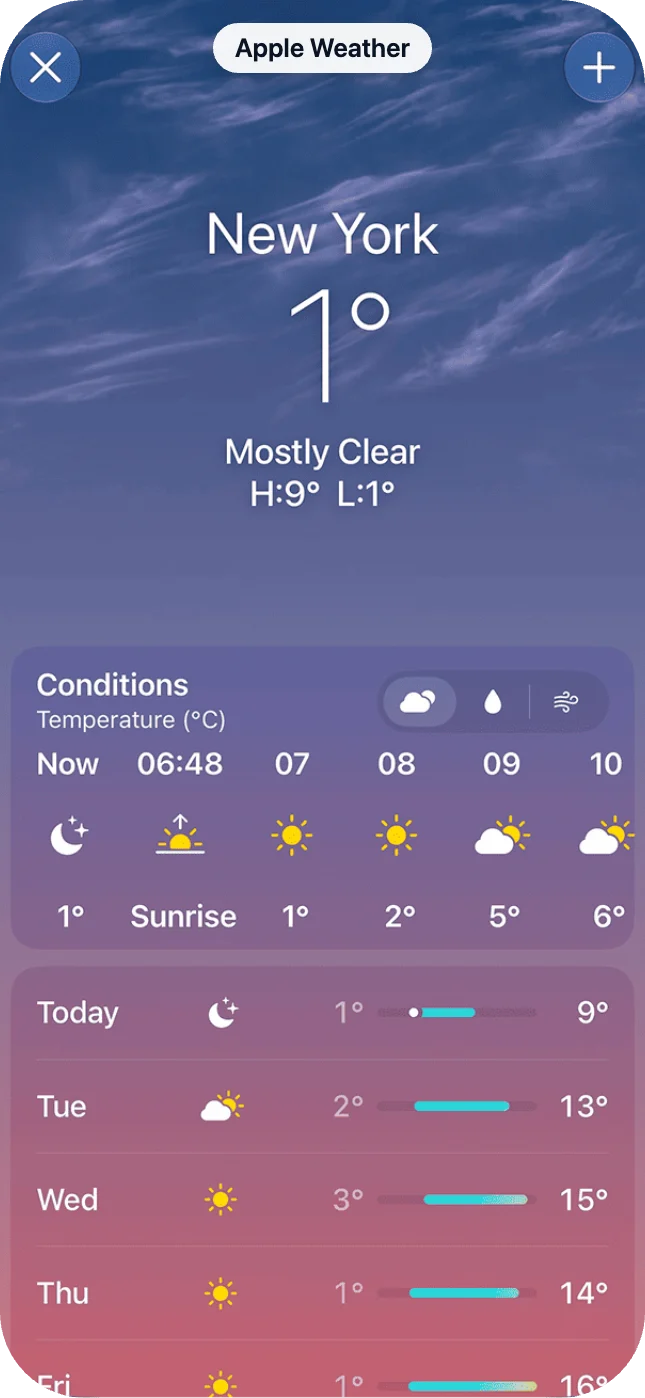
Apple Weather was always the default; iOS 27 made it a good one. The forecast now switches between Conditions, Precipitation and Wind, so rain timing and gusts sit on the main screen instead of three taps deep, and a new extra-large widget can fill a whole Home Screen page. Add next-hour precipitation, severe-weather notifications and, since iOS 26, alerts for places you are likely to travel to, and most people have no reason to install anything.
2. Carrot Weather — best if you will pay
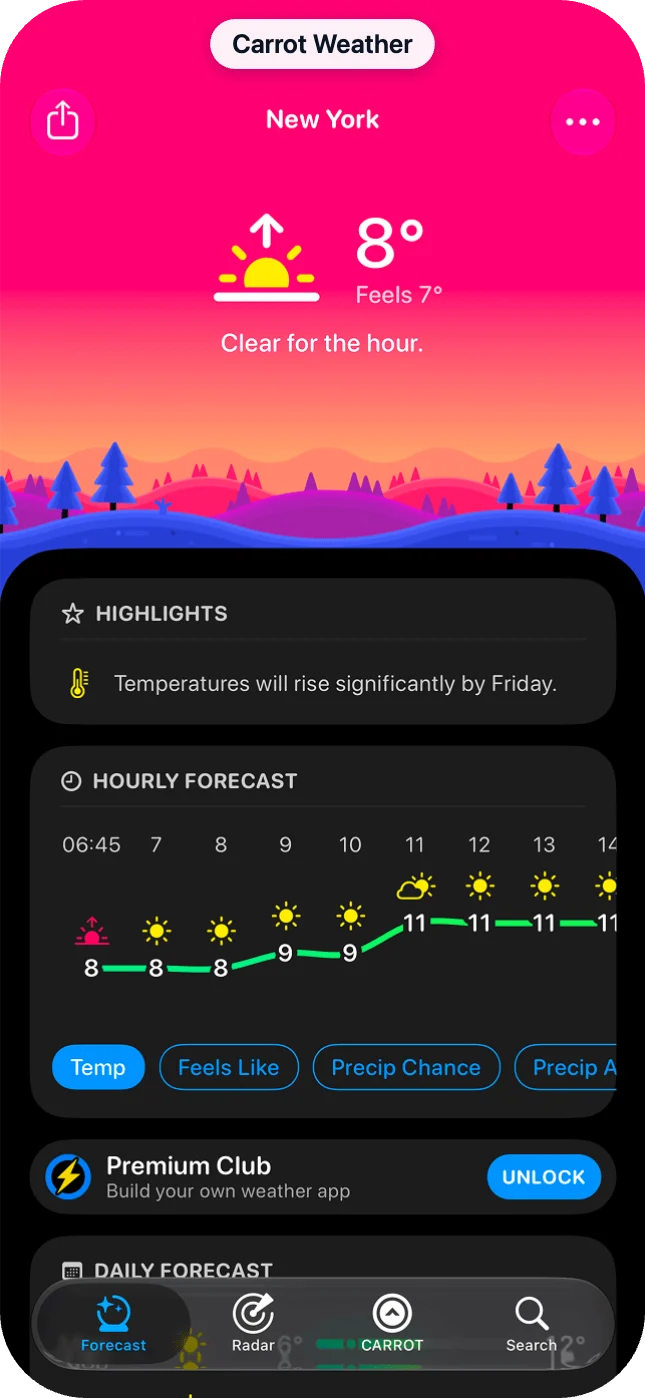
The most complete and most configurable weather app on iOS: you choose the data source, the layout of every screen and widget, and the personality of the forecast, from professional to fully unhinged. Live Activities put rain on the Lock Screen, the Apple Watch complications are the best in the category, and a new AI Layout Assistant builds a layout from a few questions. It is also an Apple Design Award winner and an Editors’ Choice.
3. Weather Widget Magic — best for widgets and rain & hail alerts
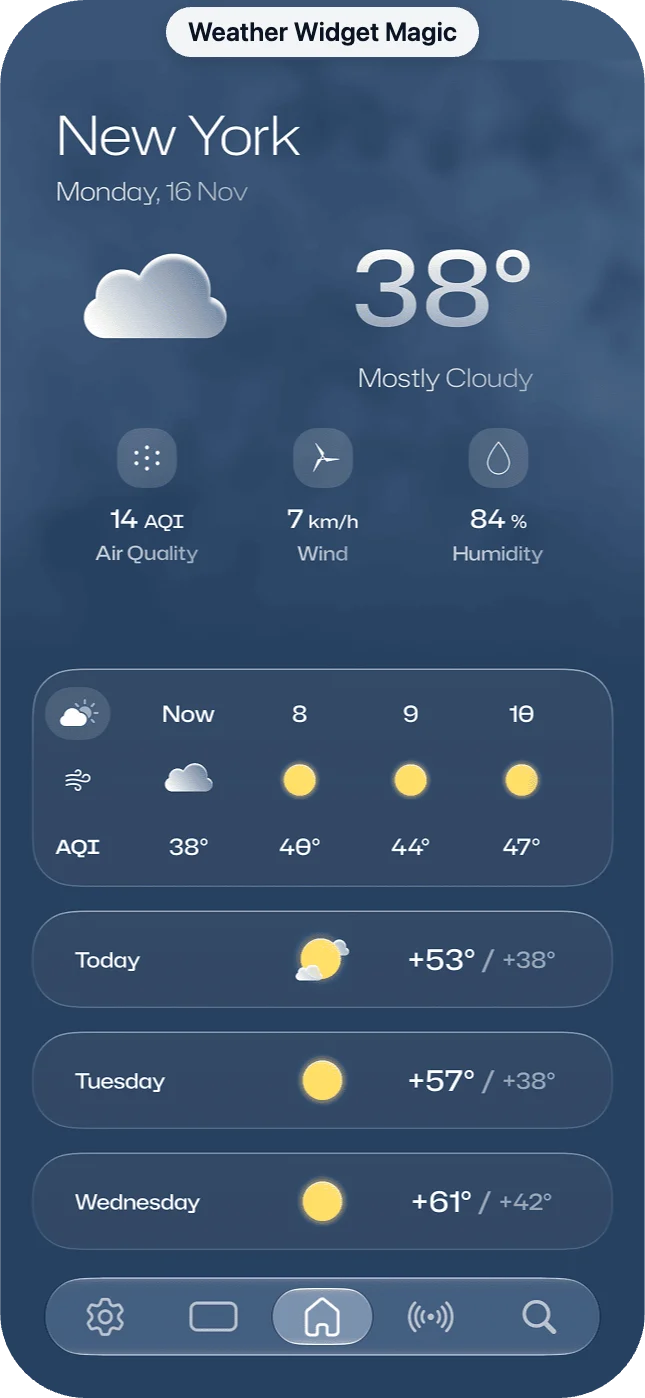
Ours, so read this knowing that. Weather Widget Magic starts where you actually look at the weather: the Home Screen and the Lock Screen. Its 50+ widgets change with conditions and time of day, so the background tells you what is coming before you read a number, and every widget can follow a different location. Behind them sits a live multi-layer radar and rain and hail alerts up to an hour ahead, computed from radar nowcasting. AI Habits checks the forecast against your routine (a run, a ride, a walk) and suggests the best time to go.
4. Foreca — best free app
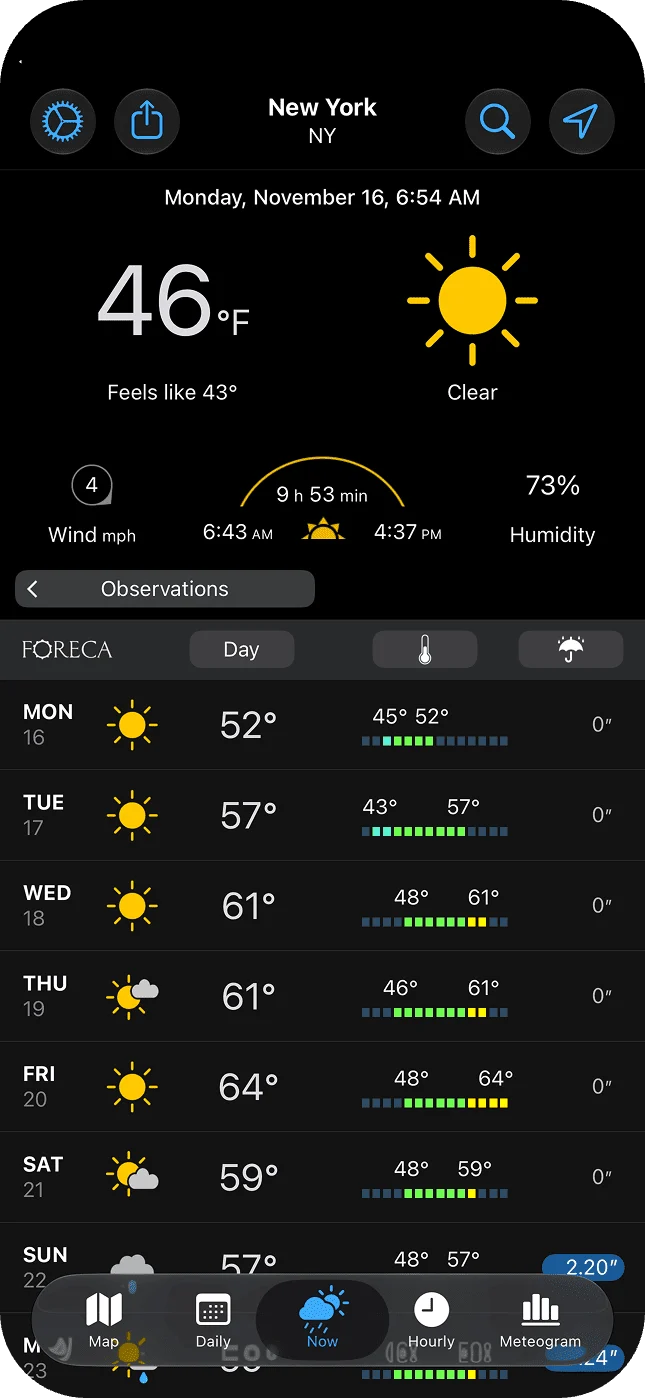
Foreca gives away what others charge for: radar with a next-few-hours forecast, government warnings, minute-by-minute precipitation, rain notifications, pollen and editable Lock Screen and Home Screen widgets. It is the forecast Carrot and Mercury use by default, so if accuracy is the point you can have the same data without paying for a wrapper. You pick which of 25+ parameters appear, and observation history lets you look back at past days and years.
5. Acme Weather — best Dark Sky successor
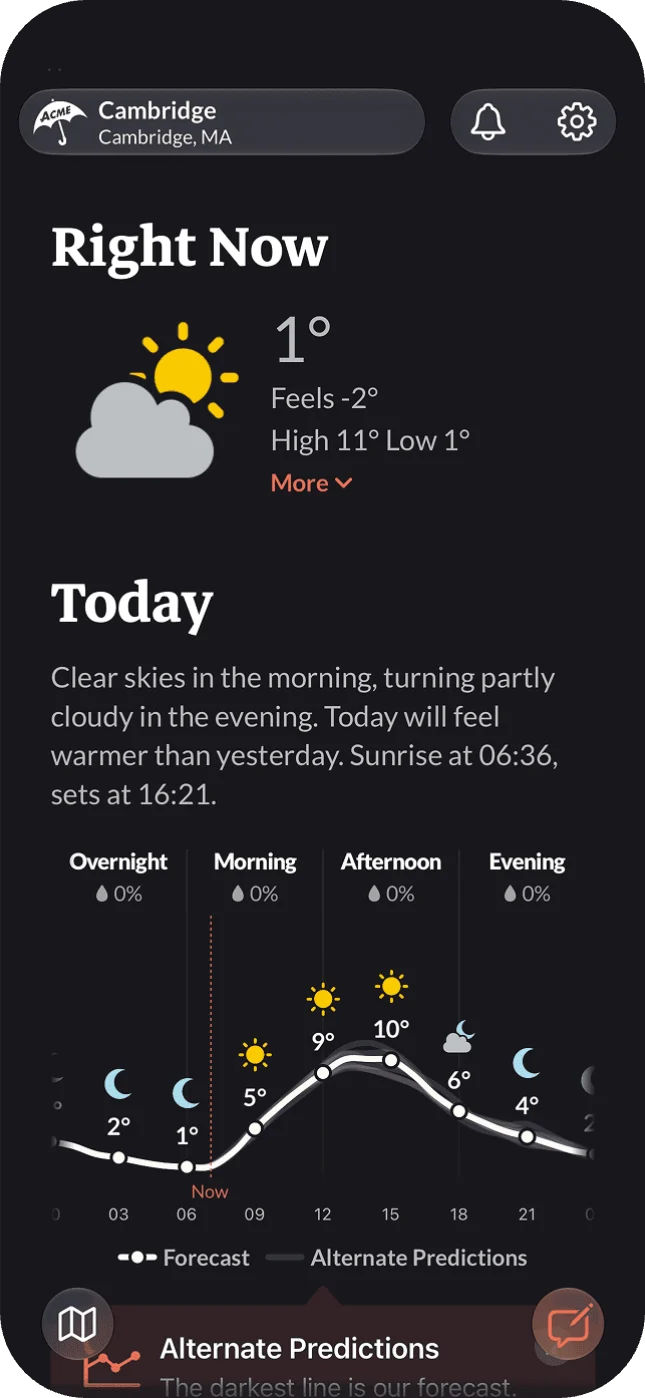
Built by the team behind Dark Sky after their years at Apple. Instead of one confident number, Acme draws alternate predictions next to the main line: a tight cluster means a solid forecast, a wide spread means check again later. Down-to-the-minute rain alerts, community reports, animated radar and custom notifications for wind, UV, even rainbows round it out. Since July 2026 it covers 42 European countries as well as the US and Canada.
6. The Weather Channel — most complete dashboard
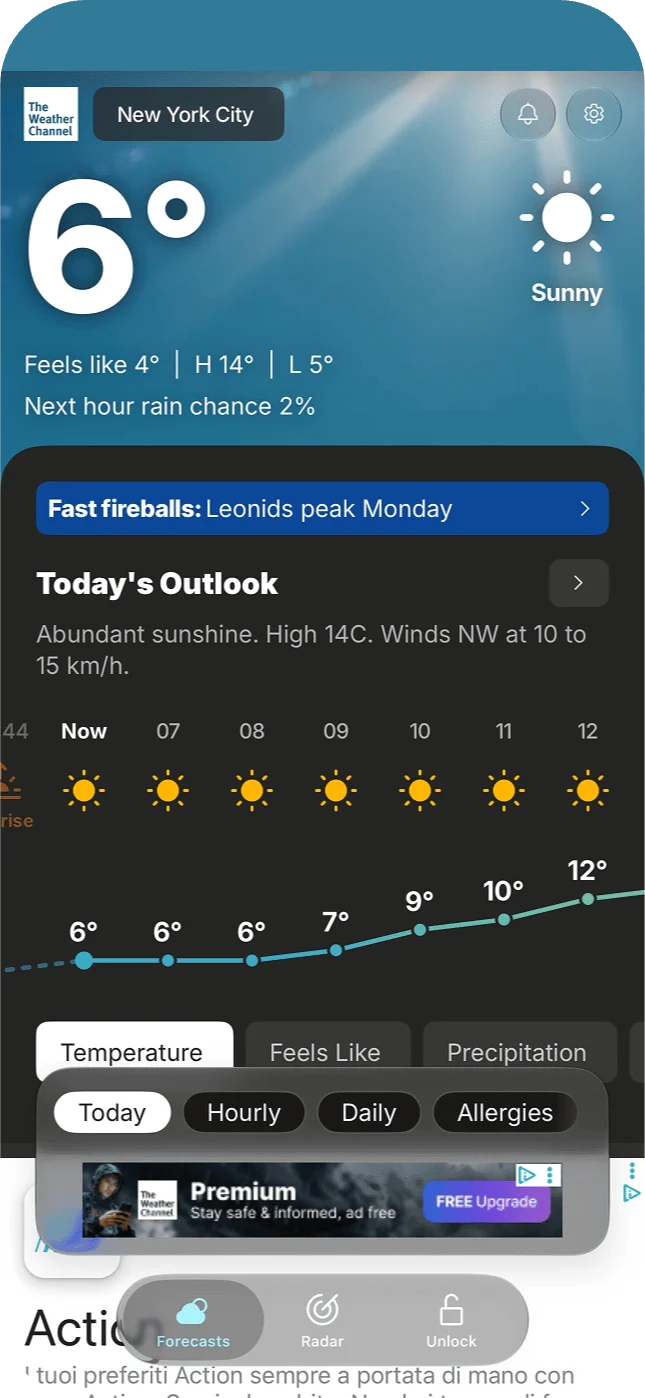
Number one on the US App Store weather chart, with over six million ratings, and the broadest app here: hourly and 15-day forecasts, 15-minute rain intensity up to 7 hours ahead, live radar, storm tracking, pollen, UV and air quality on the free tier, with news and video on the same Today page. Where tornadoes and hurricanes are a seasonal fact, its alerts and live coverage are hard to beat.
7. AccuWeather — best minute-by-minute rain and longest forecast
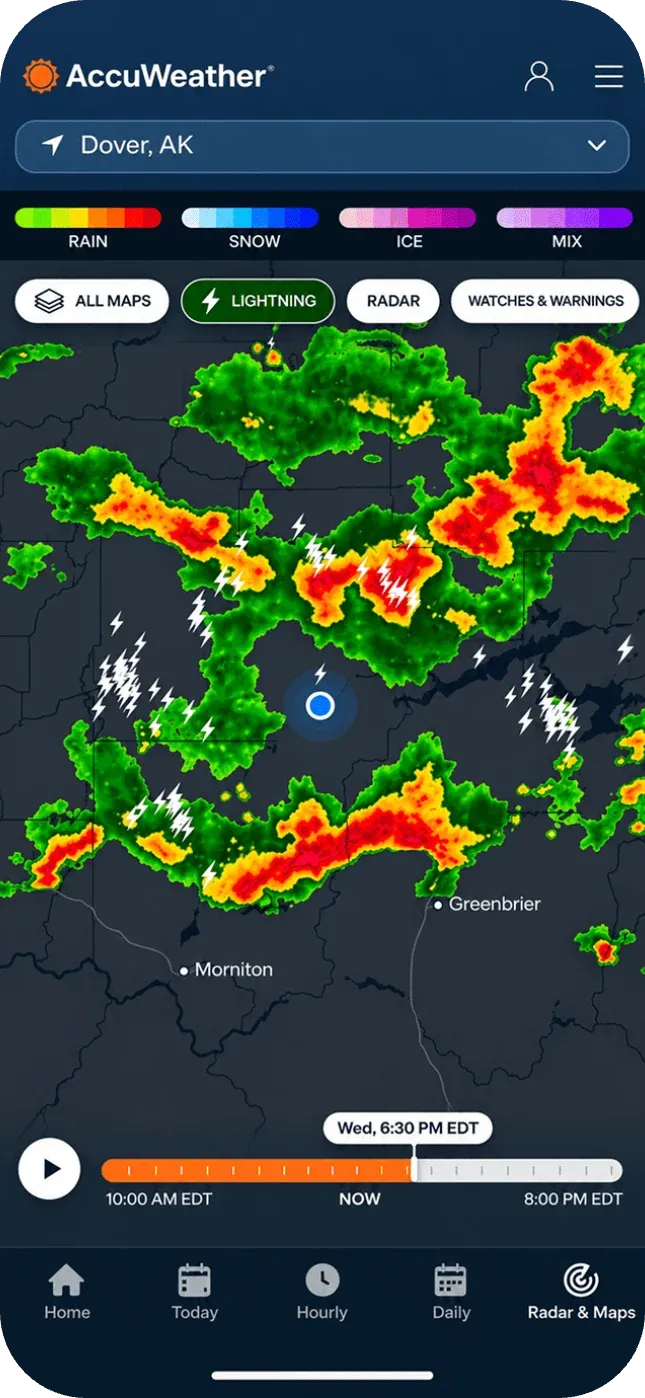
MinuteCast is the reason to install it: precipitation type, intensity and start and stop times for the next four hours, pinned to your street address in 210 countries. RealFeel, WinterCast snow and ice totals, lightning tracking and a 90-day outlook with Premium+ round it out, in 56 languages. Treat anything past ten days as a seasonal hint, not a plan.
8. Mercury Weather — best design and privacy
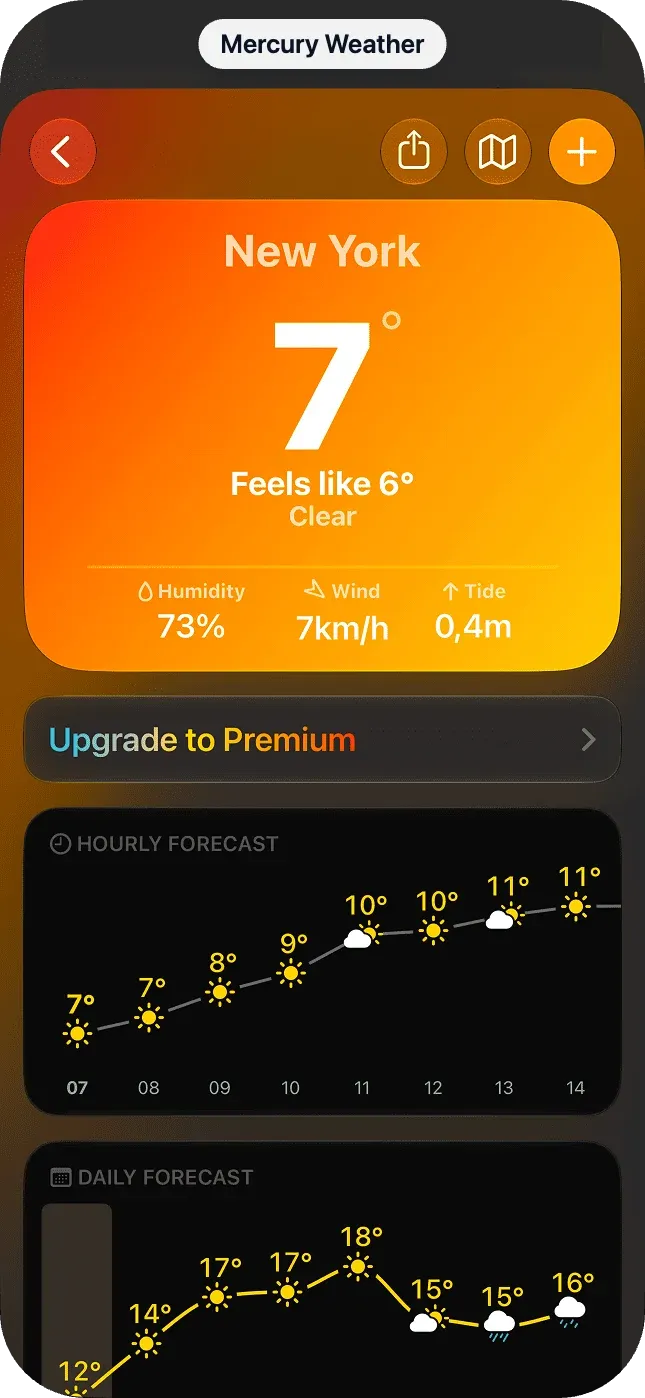
The best-looking app here and an Editors’ Choice, with one of the clearest privacy stances: the developer says it does not track you, keep logs or send your location to its own servers. Trip Forecast folds your next destination into the daily view as the trip gets close, and hurricane tracking and tide forecasts cover the coast.
9. Hello Weather — simplest to use
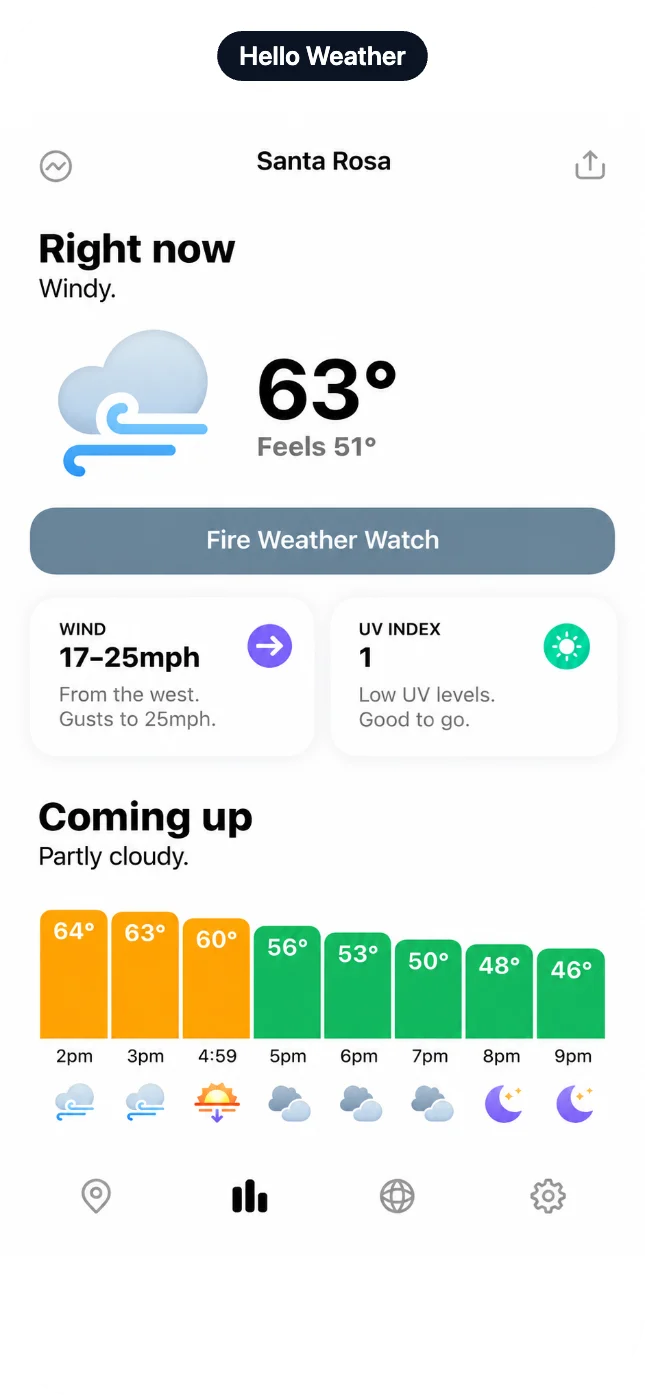
Everything on one calm screen: now, the next hours, the next days. Tap any number and it opens into a readable chart. The free tier is ad-free and powered by Apple Weather; Pro adds a source picker right on the main screen, so you can compare one provider against another in seconds, the quickest way to run our one-week accuracy test.
10. Windy — best for wind and pro data
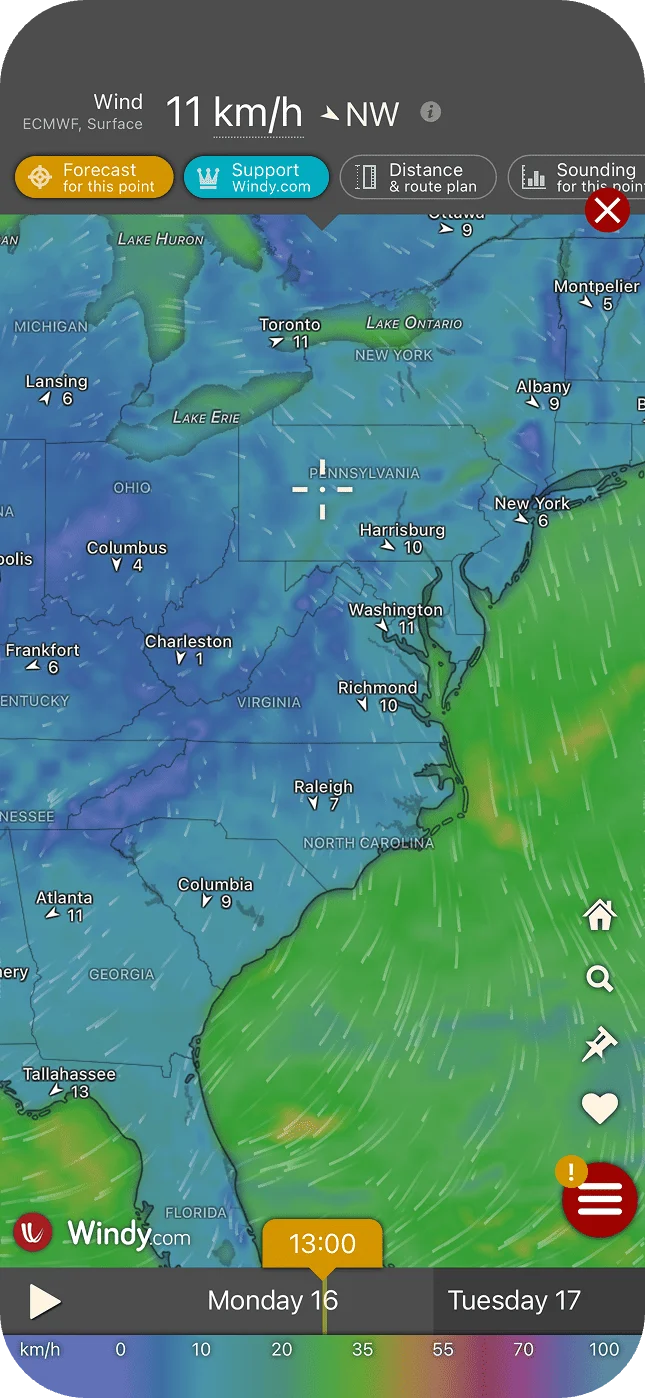
When the decision depends on wind, gusts or which model you trust, Windy is the tool. Pick a layer and an altitude; pilots get icing, turbulence and METAR/TAF data, sailors a passage planner that routes around wind and currents. Premium adds more frequent updates, radar archives and a model comparison tool.
Why is our own app third? Because most people should start with the free app already on their phone, and because Carrot does more for anyone willing to pay. Weather Widget Magic earns its place for a narrower, very common need: knowing what is about to happen from a glance at the Home Screen, and getting a hail warning before the sky changes.
Also worth a look
- Ventusky — 80+ animated maps, 14-day forecasts, a live webcam layer and no ads; the closest rival to Windy.
- MyRadar — opens straight to animated radar centred on you; a fast second app for storm days.
- EverythingWeather — straight National Weather Service and NOAA data with forecast discussions, built by an NWS meteorologist. US only.
- Weather Underground — the pick if there is a personal weather station on your street.
- Forecast Bar — for Apple Watch obsessives: more than 100 configurable complications.
How many forecast days do you actually need?
More days is not more forecast. Skill drops steadily with time: a 90-day outlook and a 10-day forecast are different products, and only the first few days are precise enough to plan a specific hour around. This is what each range is good for:
| Days ahead | What you can trust | Use it for |
|---|---|---|
| 0–1 hour | Rain start and stop, from radar nowcasting | Leaving now, hanging laundry, a quick run |
| 1–2 days | Temperature within a couple of degrees, rain timing to a few hours | Plans with a time attached |
| 3–5 days | The pattern: dry or wet, warm or cold | Booking, outdoor events, what to pack |
| 6–10 days | The trend, not the detail | Deciding when to look again |
| 11+ days | Warmer or colder, wetter or drier than normal | Seasonal hints only |
So a 10-day forecast, which Apple Weather, Acme, Hello Weather, Windy and Weather Widget Magic all show, covers every decision that depends on detail. Foreca and The Weather Channel’s 15 days and AccuWeather’s 90 are useful for one thing: noticing early that a trip might be unusually warm, cold or wet, and checking again closer to the date.
Which weather app takes the most storage?
App size matters on a 128 GB iPhone full of photos, and more than most people expect: the heaviest app here is more than eleven times the lightest.
Cached radar maps and offline data add to these numbers over time. If storage is tight, Apple Weather costs nothing extra and Acme Weather is the lightest download by a wide margin.
Ease of use: how we scored it
Ease of use is the score other rankings skip, and the one that decides whether you keep an app after a week. Each app started at 5 and lost points for:
- Taps to the answer — more than one tap to see whether it will rain in the next hour.
- Setup before it is useful — accounts, layouts or sources to configure before the first good answer.
- Interruptions — full-screen ads, upsells on launch, pop-ups between you and the forecast.
- Clutter — how much of the first screen you have to read past to find what matters today.
A low score is not a verdict on quality. Windy scores 2 because it is a professional instrument; for a pilot it is the easiest app on the list.
Pick by the question you ask most
| Your question | Install |
|---|---|
| “Do I need a jacket today?” | Apple Weather |
| “Will it rain on me in the next hour?” | Weather Widget Magic or Foreca |
| “When exactly does the rain start?” | AccuWeather (MinuteCast) |
| “Is hail coming?” | Weather Widget Magic |
| “How sure is this forecast?” | Acme Weather |
| “What is the weather on my trip in two weeks?” | Foreca or The Weather Channel (15 days) |
| “Can I make it show exactly what I want?” | Carrot Weather |
| “What does my watch say?” | Carrot Weather, or Foreca for free |
| “Is a tornado or hurricane heading here?” | The Weather Channel |
| “Can I sail, fly or climb tomorrow?” | Windy |
| “Can I have it free, forever, without ads?” | Apple Weather or Windy |
Which weather app is the most accurate on iPhone?
None of them, consistently, everywhere. Accuracy depends on the data provider and on where you live far more than on the app wrapped around it. Many apps license the same few providers (Carrot and Mercury both default to Foreca, Hello Weather’s free tier uses Apple Weather), and those providers start from the same global models. Carrot and Hello Weather let you switch sources; Acme shows you where they disagree.
The practical test takes a week: install two apps that use different providers, check both at breakfast, and note which one matched the afternoon you actually had. Keep the winner. It will be right more often where you live, which is the only accuracy that matters.
Weather app terms, explained
Free or paid: when a subscription is worth it
Pay only for the thing you kept reaching for during a free week. In practice that is one of five: alerts (Carrot, Hello Weather), widgets and Watch complications (Carrot, Mercury, Hello Weather), no ads (Foreca, AccuWeather, The Weather Channel), a longer forecast (AccuWeather Premium+, Windy Premium), or a different forecast (Acme). If you hate subscriptions, Mercury and Hello Weather both sell a lifetime unlock.
Location and privacy: what each app collects
Rain alerts have to know where you are when the rain starts, which means location access set to Always. That is the trade, and it is worth making for one app, not five. Before granting it, read the App Store privacy label. Here is what ours say:
| App | App Store privacy label |
|---|---|
| Apple Weather | Built into iOS, covered by Apple’s privacy policy |
| Carrot Weather | Data Not Linked to You; location never sold, says the developer |
| Weather Widget Magic | Data Not Linked to You |
| Foreca | Data Used to Track You (identifiers, usage data) for ads |
| AccuWeather | Data Used to Track You (location, usage data) |
| Mercury Weather | Developer says no tracking, no logs, no location on its servers |
“Data Not Linked to You” means the developer says collected data is not tied to your identity. “Data Used to Track You” means it may be combined with data from other companies, usually for advertising. Free apps with ads tend to be in the second group; paying to remove ads does not always change the label.
Set up your weather app properly on iOS 27
Most “my weather app is wrong” complaints are settings. Five minutes, once:
- 1Allow Precise Location, set to AlwaysSettings → Apps → your weather app → Location. Without Always, rain alerts cannot follow you.
- 2Turn on only the alerts you act onNext-hour rain and severe weather for most people; lightning or UV if you work outside. Fewer alerts means you keep reading them.
- 3Keep Background App Refresh onSettings → General → Background App Refresh. Widgets and alerts go stale without it.
- 4Put one widget on the Lock ScreenTouch and hold the Lock Screen, tap Customize, and add a precipitation or conditions widget below the clock.
- 5Remember Low Power ModeIt pauses background refresh, so widgets may lag until you open the app.
Our setup: two apps, not five
Keep Apple Weather for the day ahead. Add one specialist for the question Apple answers worst for you: widgets and storm alerts, forecast confidence, the watch, wind, or rain timing. Delete the rest. Three apps sending rain notifications is how you learn to ignore all of them.
If the specialist is for your Home Screen, our ranking of the best weather widgets for iPhone goes deeper on widgets alone, and the Lock Screen weather widget guide shows where to put it.
Frequently asked questions
What is the best weather app for iOS?
For most people, Apple Weather: it is free, built in and much improved in iOS 27. Carrot Weather is the best if you will pay for customization, and Weather Widget Magic is the best for Home Screen widgets with rain and hail alerts up to an hour ahead.
What is the best free weather app for iPhone?
Apple Weather if you want no ads and no setup. Foreca if you want radar, minute-by-minute rain, government warnings and a 15-day forecast at no cost and can live with ads. Windy is free and ad-free if you need wind and model maps.
Which weather app is the most accurate on iPhone?
No app is the most accurate everywhere. Accuracy depends on the data provider and on where you live far more than on the app. Use two apps with different providers for a week and keep the one that was right more often where you live.
Which iPhone weather app has the longest forecast?
AccuWeather, with up to 90 days on Premium+. Foreca and The Weather Channel show 15 days for free. Beyond about ten days, any forecast is a seasonal tendency rather than a plan.
Which weather app takes the least storage?
Apple Weather, because it is already on your iPhone. Among downloads, Acme Weather is the lightest at 38.7 MB; Carrot Weather is the heaviest at 445.7 MB.
What is the easiest weather app to use?
Apple Weather and Hello Weather, both scored 5 out of 5 in our ease-of-use test: the answer to “will it rain soon” is on the first screen, with no setup and no ads.
Which weather app works on older iPhones?
Carrot Weather still supports iOS 15, and Mercury Weather and Windy support iOS 16. The Weather Channel now requires iOS 26.
Is Apple Weather good enough?
For most people, yes, especially since iOS 27 added Precipitation and Wind views and an extra-large widget. A third-party app is worth it for earlier or more specific alerts, a different data source, pro maps or widgets with more personality.
What replaced Dark Sky?
Dark Sky’s features moved into Apple Weather. In 2026 the original Dark Sky founders launched Acme Weather, a $25-a-year app available in the US, Canada and 42 European countries.
Which weather app is best for Apple Watch?
Carrot Weather, with the most flexible complications, though they need Premium. Foreca is the best free option, with radar on the watch.
Which weather app has the best widgets?
Weather Widget Magic for widgets that change with conditions and time of day, Carrot Weather if you want to build the layout yourself.
What does a 40% chance of rain mean?
That there is a 40% probability of measurable rain at your location during that period. It does not mean rain for 40% of the day or over 40% of the area.
Do weather apps need location access set to Always?
Only for alerts about where you are right now. Forecasts and widgets work with “While Using the App or Widgets”; precipitation and severe-weather notifications need Always, so the app knows where you are when the weather arrives.
Verdict
Start with Apple Weather; since iOS 27 it is the best weather app for iOS for most people, and it costs nothing. If you want to shape every screen and will pay for it, Carrot Weather. If the weather you care about is the one on your Home Screen, and hail is a real risk where you live, Weather Widget Magic. Free and data-rich: Foreca. Forecast confidence: Acme. Tornado country: The Weather Channel. Rain to the minute and the longest outlook: AccuWeather. Design and privacy: Mercury. Calm: Hello Weather. Wind: Windy.
Checked on iOS 27.2 in November 2026 against each app’s current US App Store listing. Weather Widget Magic is our app; we re-check this ranking every quarter and update sizes and prices when they change.